Checkboxes are now live! With this update, document signing is a cinch. You can now create, customize, and manage documents with clear, guided checkbox selections.
What’s New
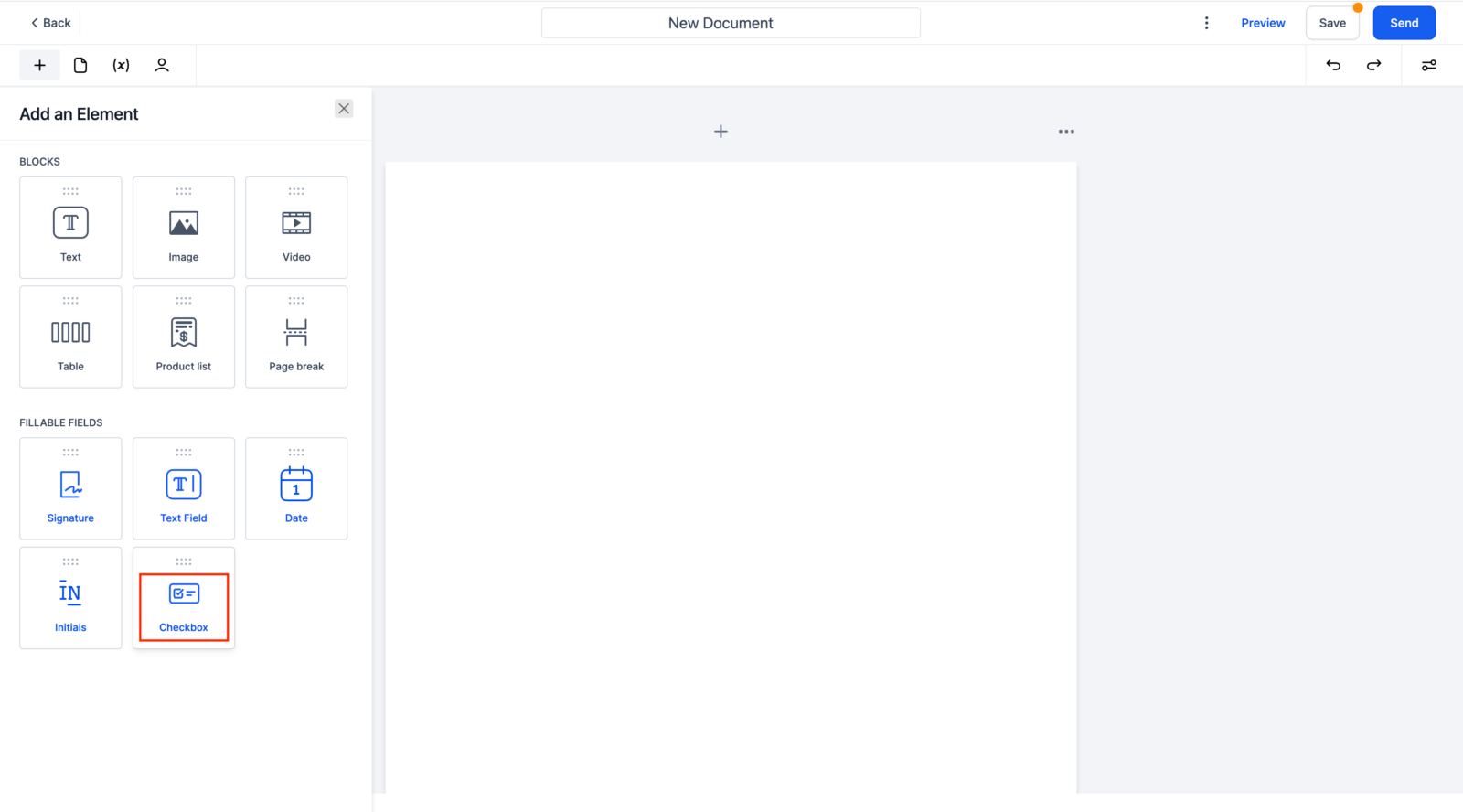
- Checkbox Element: Easily draggable checkboxes for fillable fields.
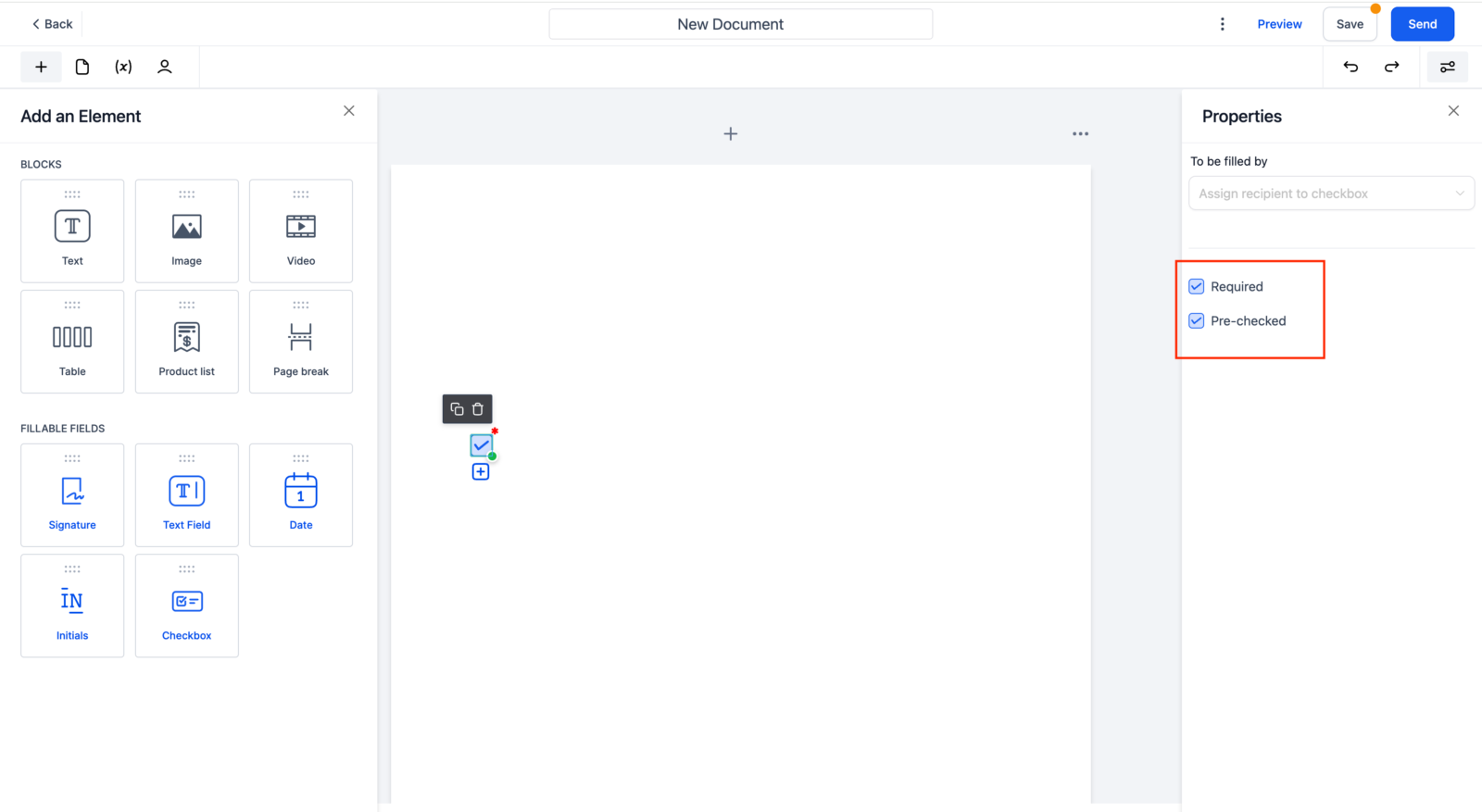
- Customization: Mark checkboxes as Required or Pre-selected.
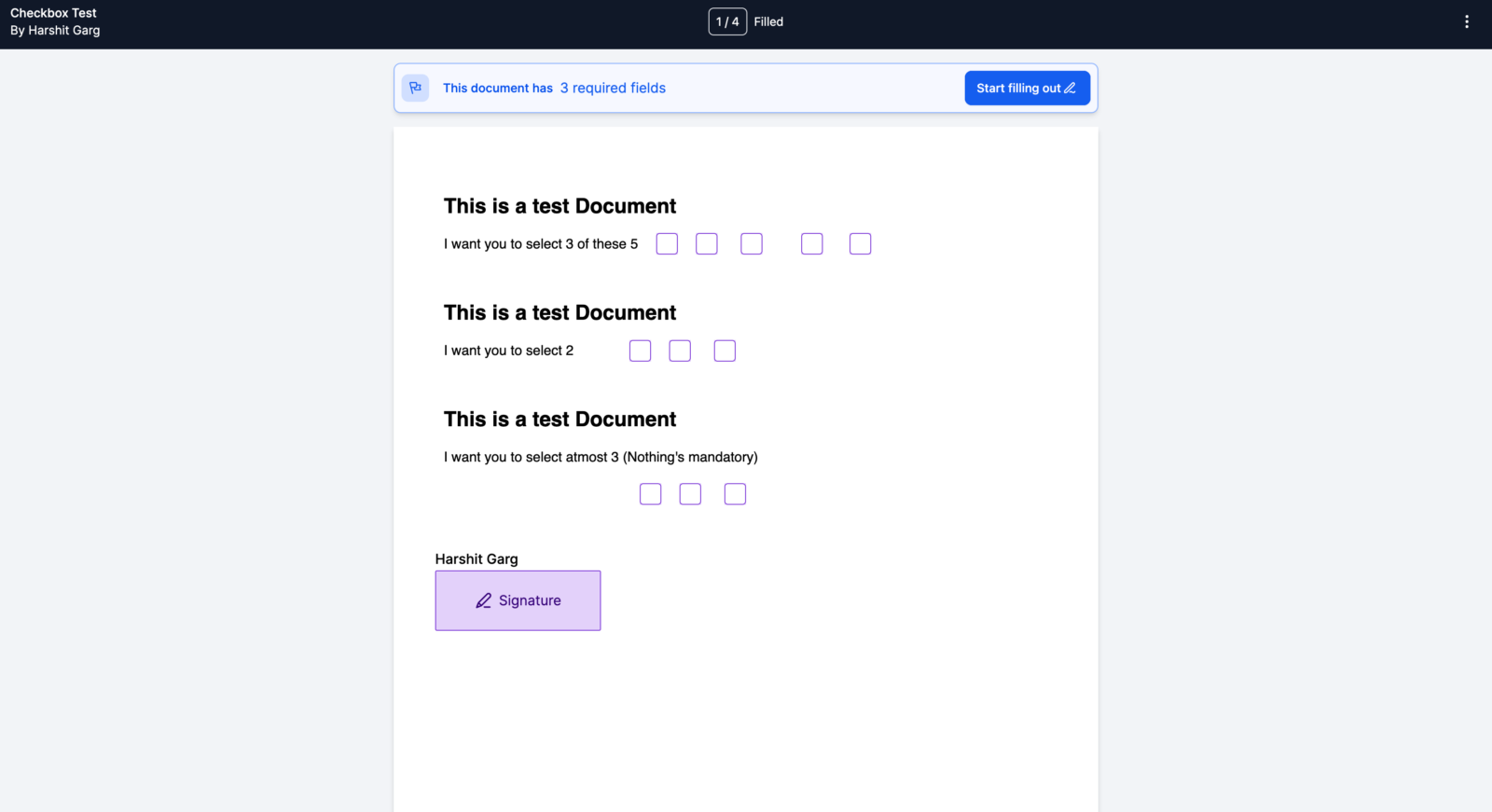
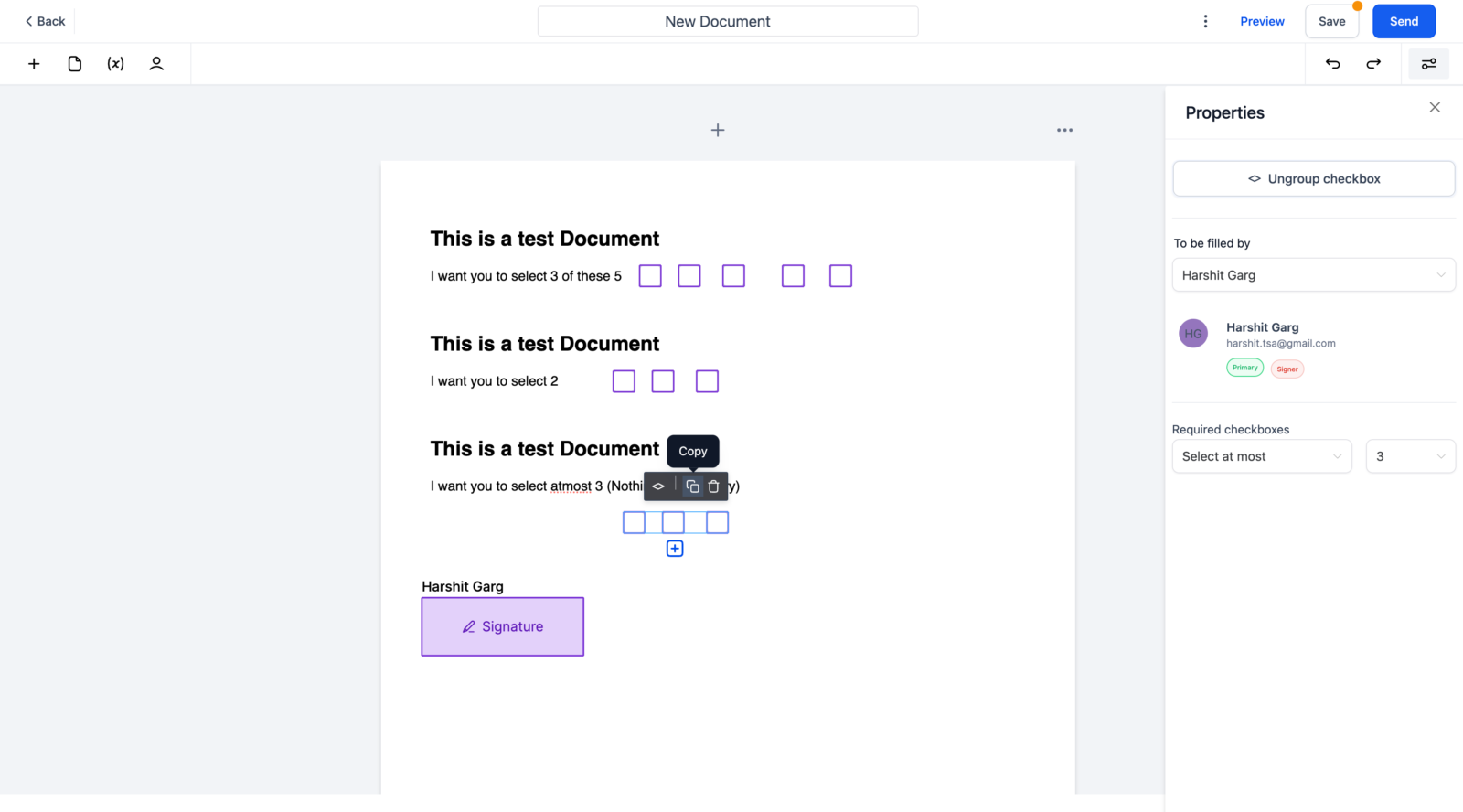
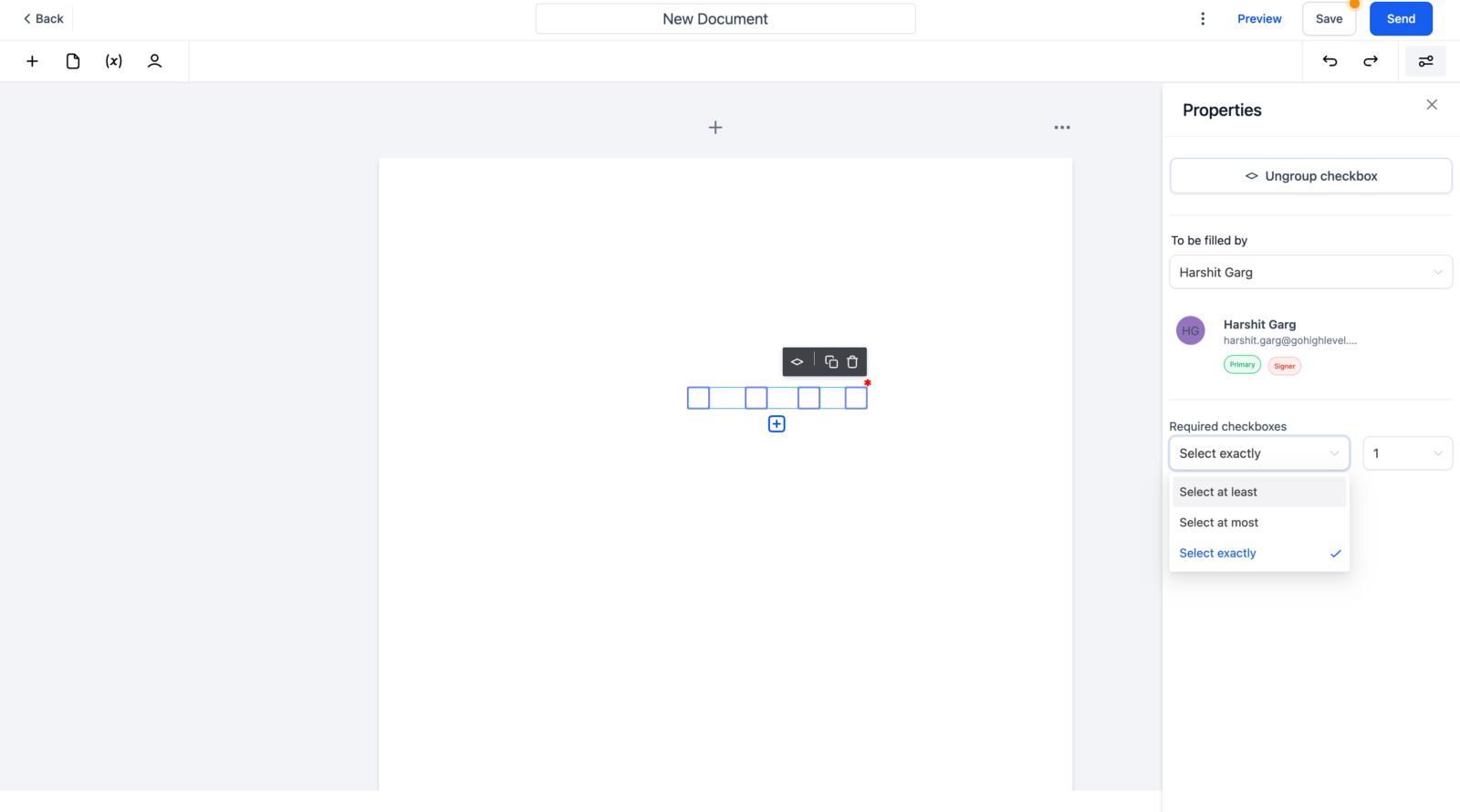
- Grouping: Group checkboxes with conditions like ‘Select At Most’, ‘Select At Least’, or ‘Select Exactly’ a specific number of checkboxes.
- Duplication: Copy entire groups of checkboxes with the same properties.
- Guidelines: Signers receive clear guidelines on how many checkboxes to select.
How It Works
- Drag and Drop: Add checkboxes to your document by dragging and dropping.
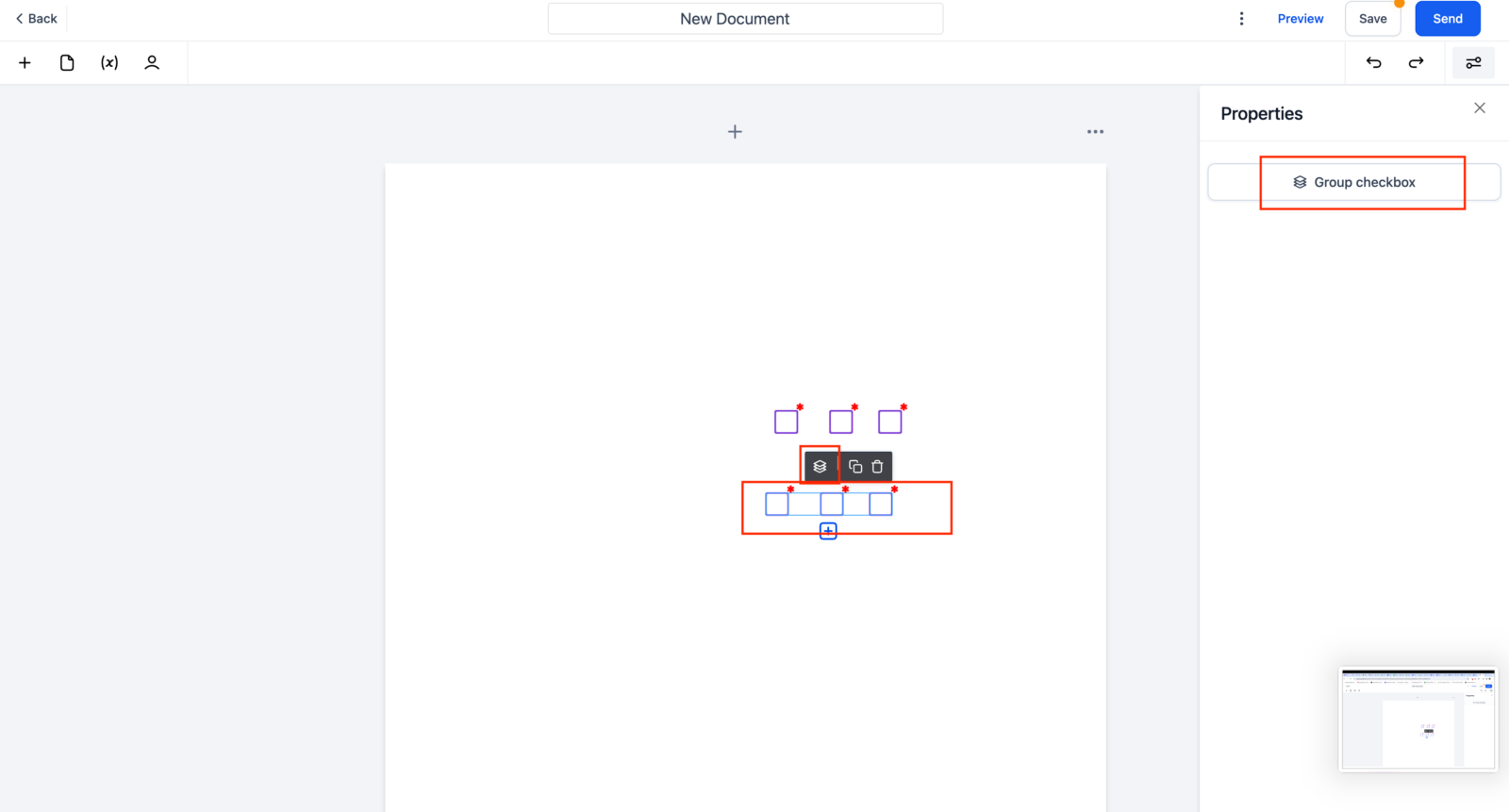
- Group Checkboxes: Select multiple checkboxes, click the group icon, and set your conditions.
- Add Rules and Copy: Apply rules to your group and duplicate as needed.
- Direct Addition: Use the ‘+’ icon to add checkboxes directly to the group.
Why It Matters
This new feature simplifies the process of managing documents that require multiple checkbox selections. Whether you need to collect specific information, ensure compliance, or streamline options, checkboxes make it clear and organized for both you and your signers.