With this update, you can customize call priority and provide personalized service by routing incoming calls to the right agents.
What’s New
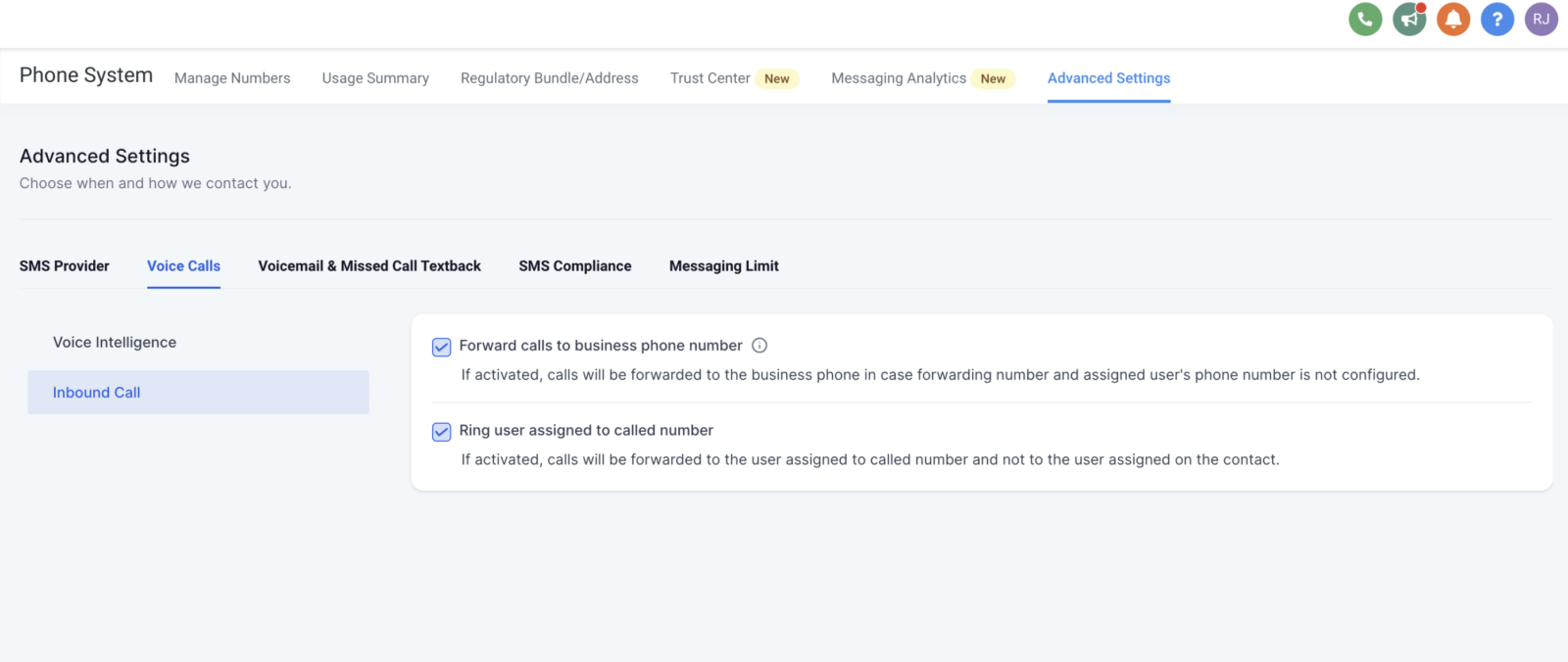
Forward Calls to Business Phone Number:
You can now enable or disable call forwarding to your business phone number for greater flexibility in managing your calls.
Ring User Assigned to Called Number:
Incoming calls from known contacts can be routed directly to the agent assigned to that contact or the agent linked to the called number.
How It Works:
- Forward Calls:
- Go to Settings > Phone Numbers > Advanced Settings > Voice Calls.
- Enable or disable call forwarding to your business phone number.
- Route Calls to Assigned Agent:
- Go to Settings > Phone Numbers > Advanced Settings > Voice Calls.
- Enable the checkbox to route calls to the agent assigned to the contact.
- Disable the checkbox to route calls to the agent linked to the called number.