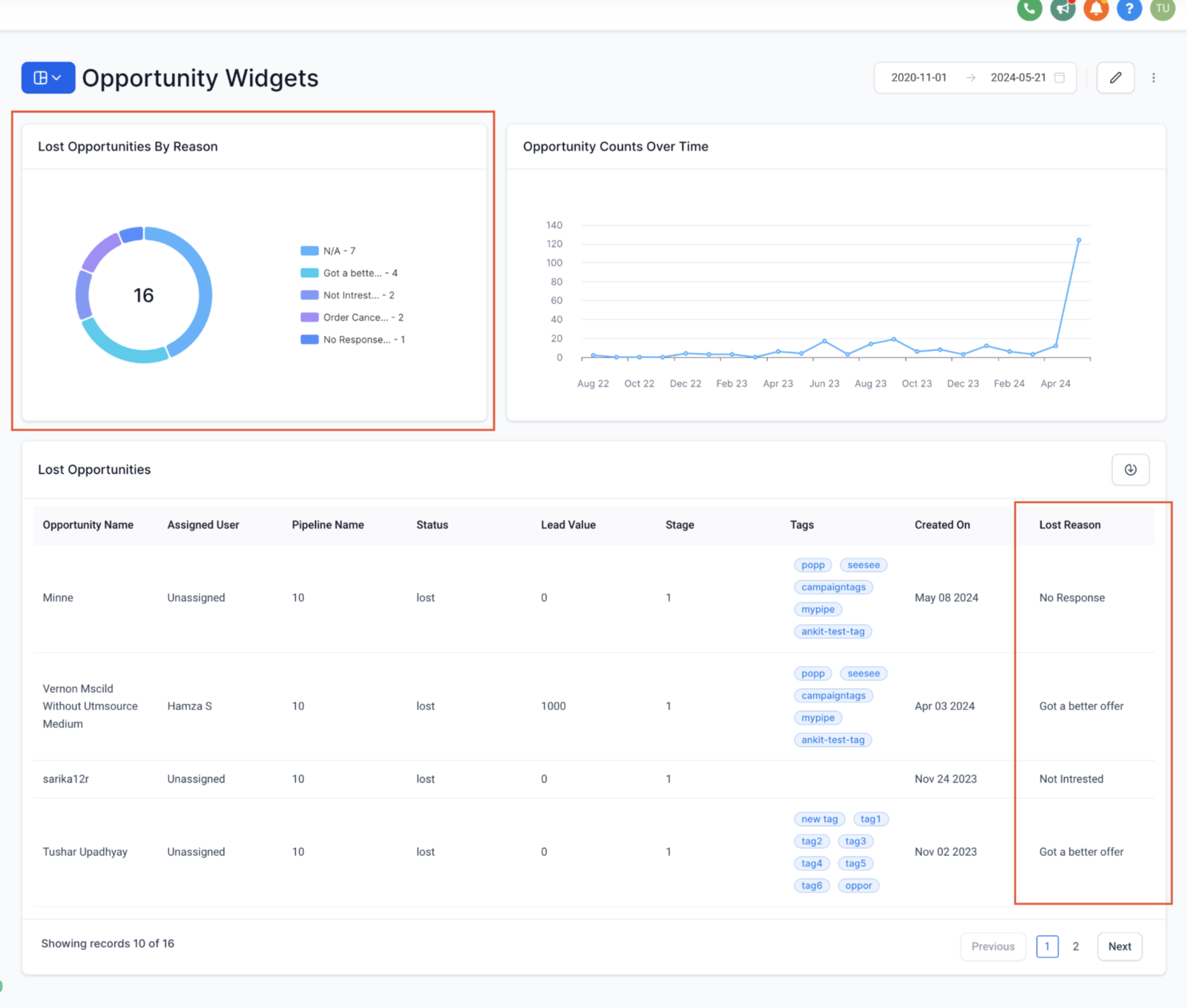
We’re excited to introduce a powerful upgrade to your Sub Account Dashboards: the Lost Reason filter for Opportunity widgets.
Unlock targeted follow-up strategies by understanding specific reasons for lost opportunities, refine your sales approach with precise problem-solving, and optimize resource allocation by addressing primary loss factors.
What’s New?
- New Widget: Explore the new Lost Opportunities by Reason widget, now showing why opportunities were lost.
- Improved Filtering: Easily apply the Lost Reason filter to pinpoint specific reasons for opportunity loss.
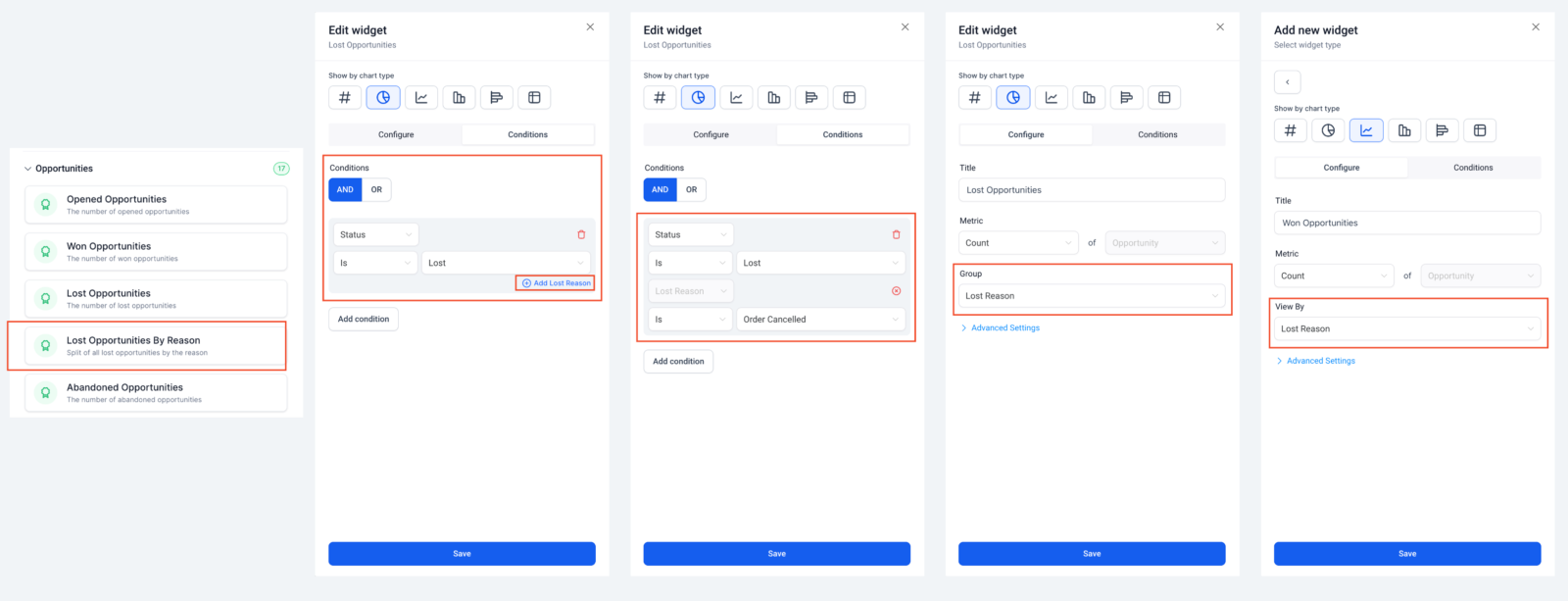
- Enhanced Widget Properties: Now, configure widgets to group and view data by the reasons opportunities were lost.
- Insightful Analysis: Dive deep into each lost reason to uncover actionable data.
- Table Widget Update: The Lost Reason column is now selectable in table widgets, providing quick insights into opportunity details.
How It Works:
Adding the new widget:
- Go to your Dashboard.
- Enter Edit mode and click Add widget.
- Select “Lost Opportunities By Reason” under Opportunities.
Filtering for a specific lost reason:
- Add “Status IS Lost” in widget conditions.
- Choose a specific Lost reason from the filter options.
Adding the lost reason column in the table widget:
- Create a table chart for opportunities.
- Customize columns and select “Lost reason” for detailed insights.