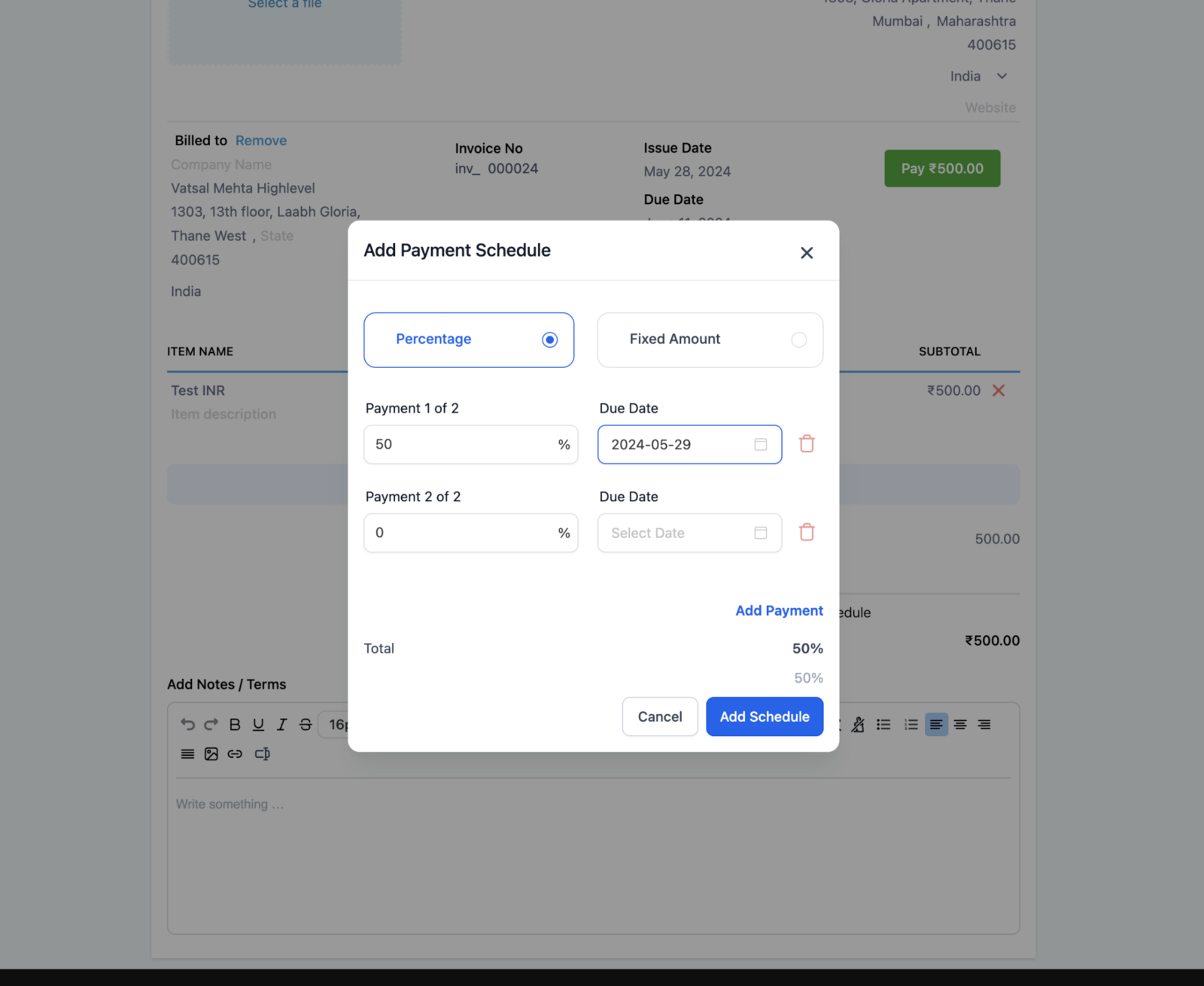
We’re excited to introduce a powerful new feature that changes how you manage invoices. With payment Plans, you have the option to split invoices into manageable installments for clients.
This helps you know when and how much you’ll get paid, ensuring smoother cash flow management for your business.
What’s New?
- Payment Plans: Split invoices into installment plans.
- Flexible Splits: Choose between percentage-based or fixed-amount splits.
- Due Dates and Notifications: Each installment has a due date and payment status, with reminders sent on the due date if the payment is pending.
- Installment Payments: Payments can only be made according to the predefined splits. Users can pay one or more installments at a time, and the invoice is marked as paid once all installments are completed.
How to Use
- Add Payment Schedule: When creating an invoice, click on “Add Payment Schedule.”
- Set Payment Terms: Choose the payment terms, either by percentage or fixed amount, and send the invoice.
- View and Pay: The user will see the invoice with the payment plan details and can choose to pay according to the schedule by selecting the appropriate checkbox.
Why It Matters
This feature addresses a key need for managing medium to large invoices by allowing payments in installments. Unlike partial payments that let the payer decide the payment amount, this feature gives control to the payee to set the installment sizes, ensuring a structured payment plan that meets their requirements.