Now, managing transactions is even easier. This update improves your user experience with an enhanced interface for smoother navigation and better usability.
What’s New:
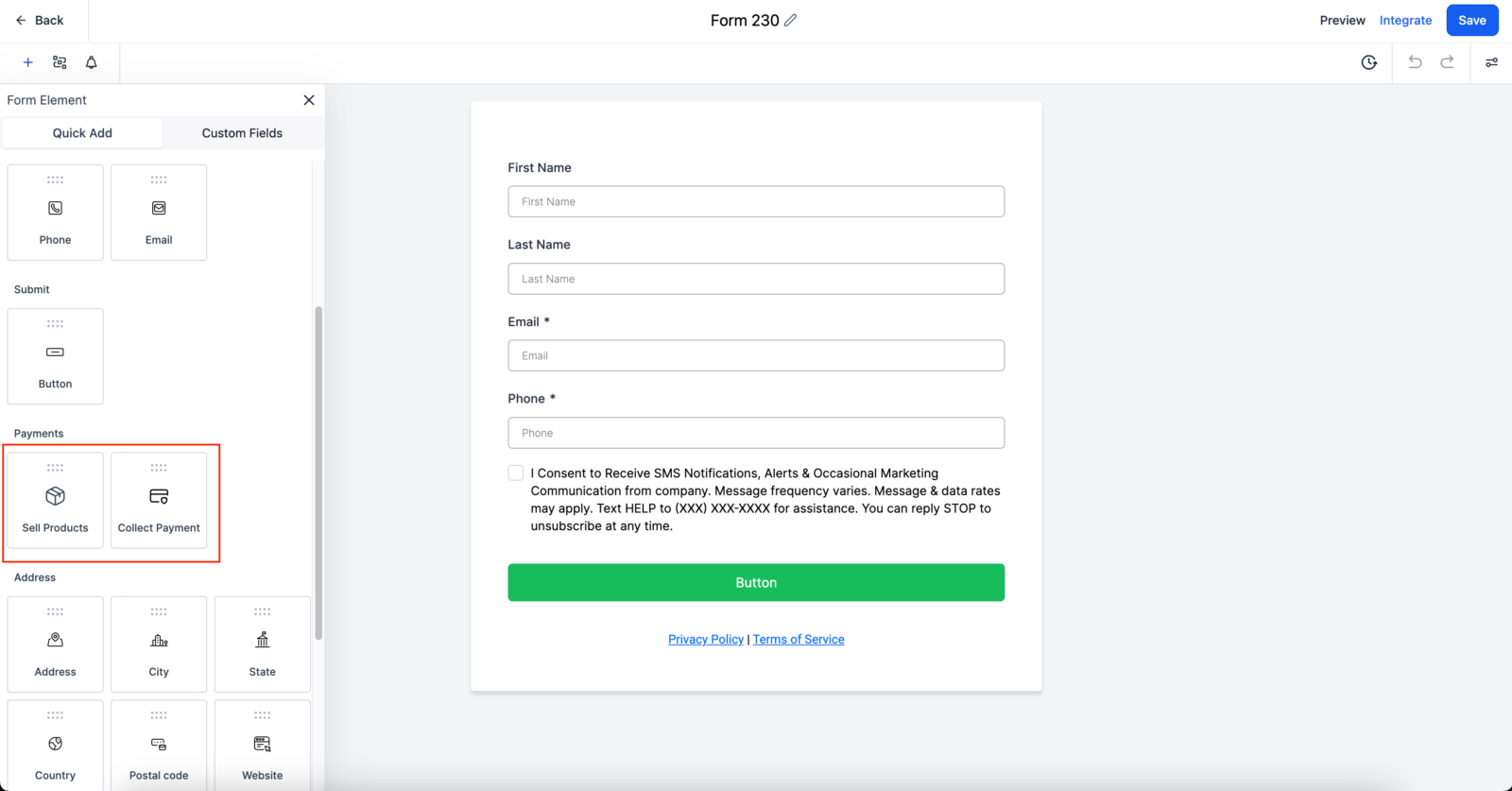
The Payment element has been split into two distinct elements:
- Sell Products: Easily sell physical or digital products directly through forms, simplifying product catalog management and streamlining the selling process.
- Collect Amount: Ideal for collecting specific amounts like donations, service fees, or custom payments, offering flexibility for various payment needs.
How to Use the New Elements
- Open the Form Builder.
- Select the Element: Choose either Sell Products or Collect Amount from the new Payment section.
- Configure Settings: Customize settings according to your needs.
- Publish and Collect Payments: Start using your form to collect payments.